Editing a Quick Function
To edit or update an existing quick function key:
- Click the EDIT icon at the top right of the menu.
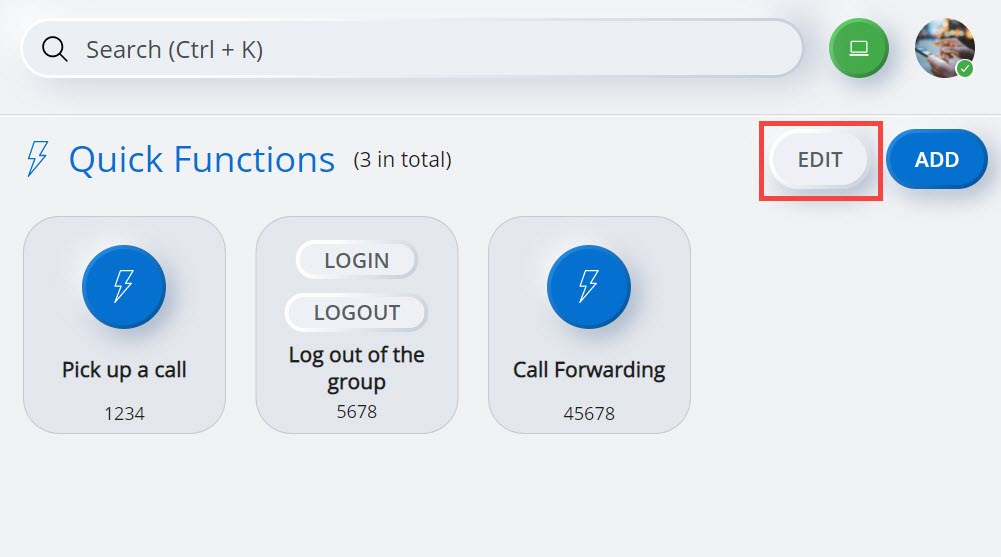 Note: To re-arrange the quick functions, click EDIT and drag and drop the quick function icons to the desired locations in the Quick Functions menu, and then click DONE.
 - Click the
 icon associated with the function key you want to edit.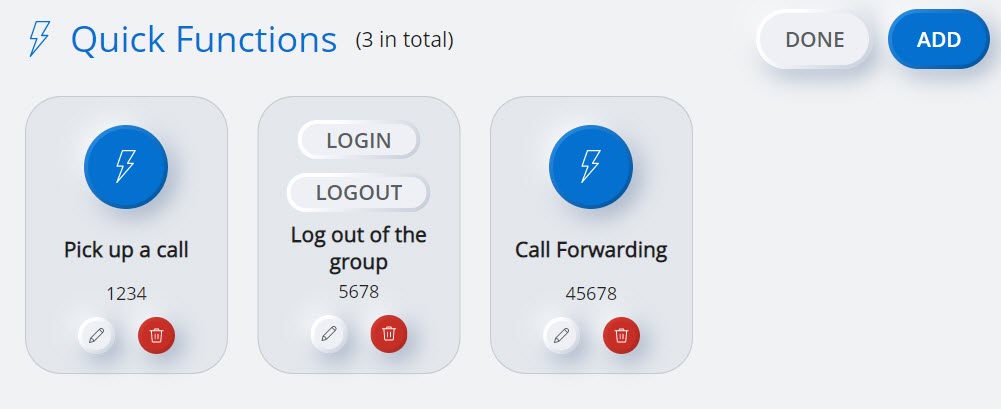
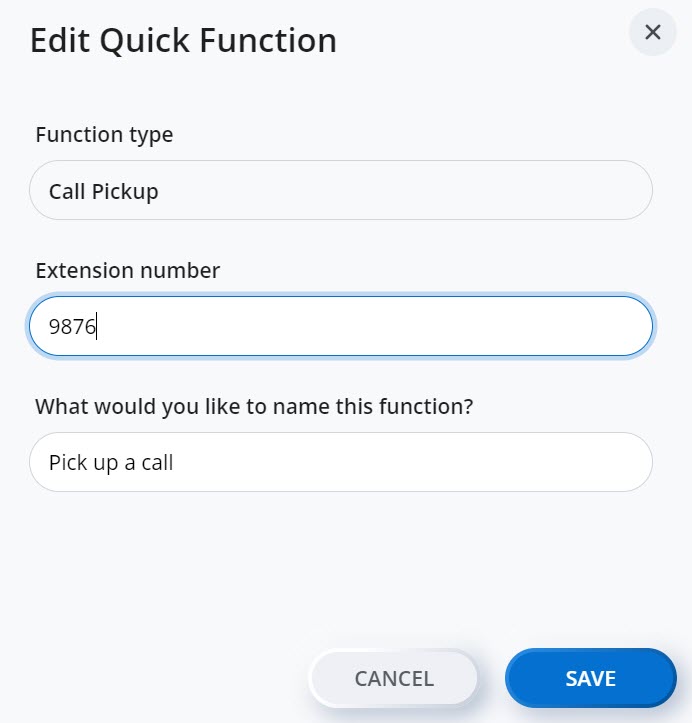
The Edit Quick Function panel opens.
- Edit the required details (function attribute, and UI display name), and click SAVE to update the quick function. Clicking CANCEL cancels the operation.
↑