Viewing the current logged on states of agents who log on to multiple queues
If you have voice agents who are cross trained to answer calls for different departments (and log in and out of several queues) the telephone system requires you assign the agents multiple IDs. If a voice agent has multiple agent IDs and you want to view the agent’s current logged on state only, you use the Employee State by Position monitor.
To view the monitor, you open the Employee State by Position monitor and select employees to add to the monitor. The monitor shows one cell for Andrew, listing his current state and agent ID. (See the following figure.)
Figure 1. Employee State by Position - viewing the ID to which the agent is logged on
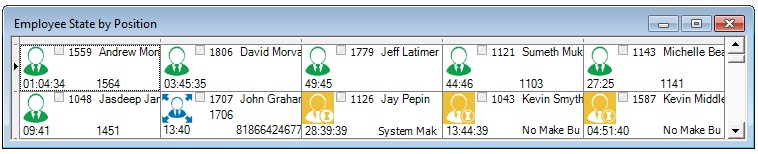
Andrew is currently logged on to Extension 1564 using Agent ID 1559. Sometime later you notice Andrew is logged on to Extension 1059 using Agent ID 1788. (See the following figure.)
Figure 2. Employee State by Position

↑