On an agent or employee monitor you can right-click an agent’s cell and click Send instant message to send an online message to the agent.
To send a chat message
- Double-click your presence indicator in Contact Center Client’s Status Bar.
Contact Center Chat opens. (See the following figure.)
Figure 1. Contact Center Chat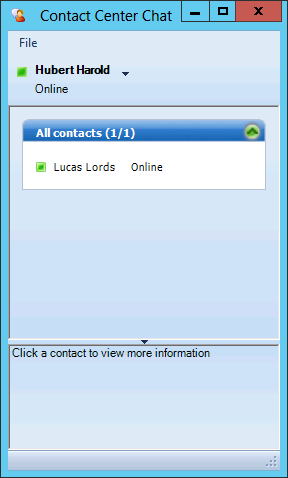
- Right-click a contact and select Send an instant message.
Alternatively, double-click the contact.
The Conversation window opens.
- Type a message.
- Click Send.
To send a chat message while viewing an agent or employee monitor
- Right-click a cell in an open monitor and click Send instant message. Alternatively, double-click the presence indicator in the agent or employee's cell in the monitor.
The Conversation window displays.
- Type a message.
- Click Send.