Bulk Function via Provisioning Manager Import
To use the bulk function via the Provisioning Manager Import option, do the following:
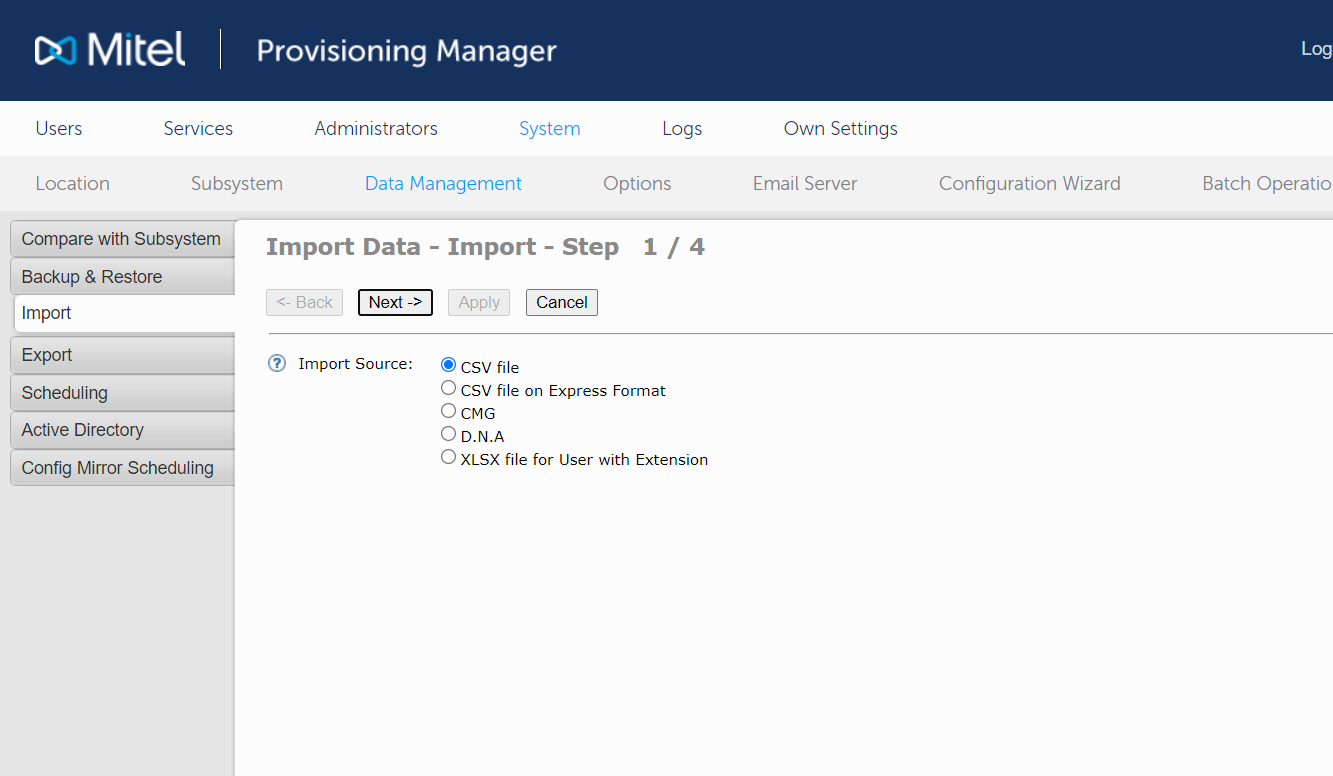
- Navigate to System > Data Management >
Import task and select the type of the file to be imported under Import Source and click Next.
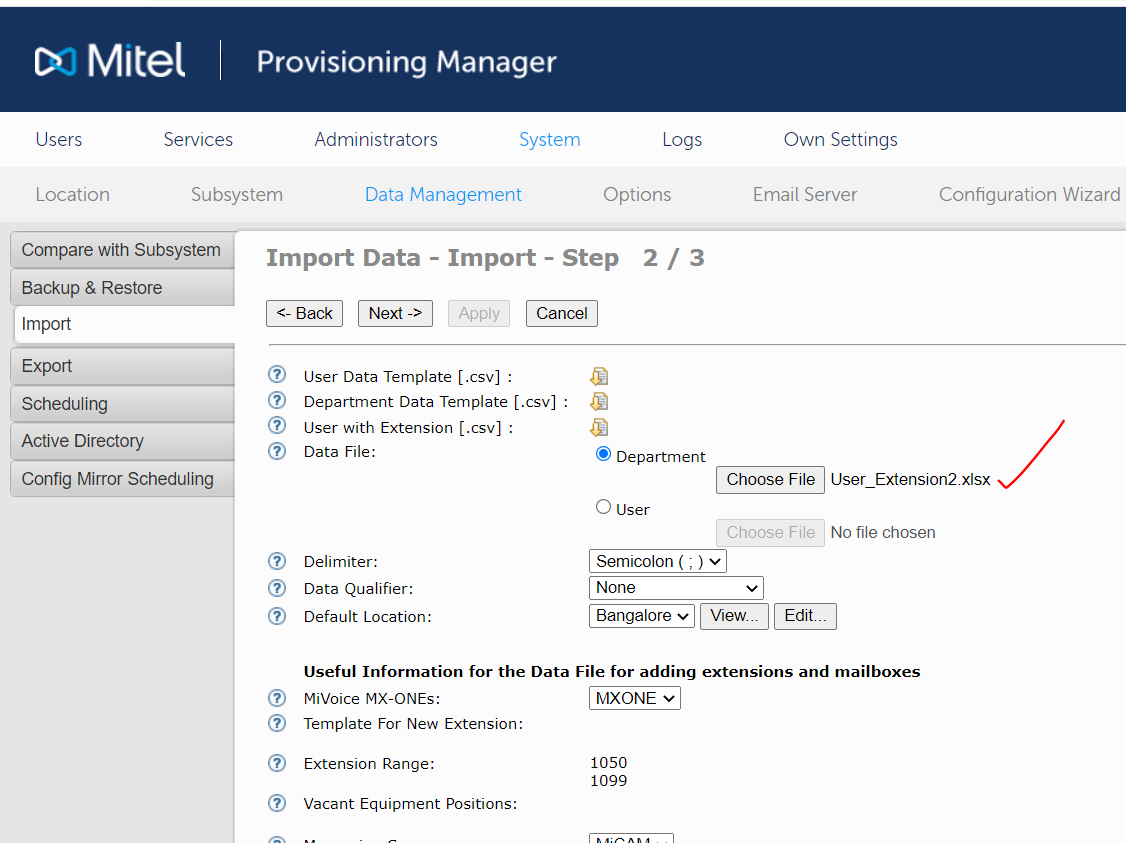
- Click Choose File and select the file from
your system to be imported and then click Next.
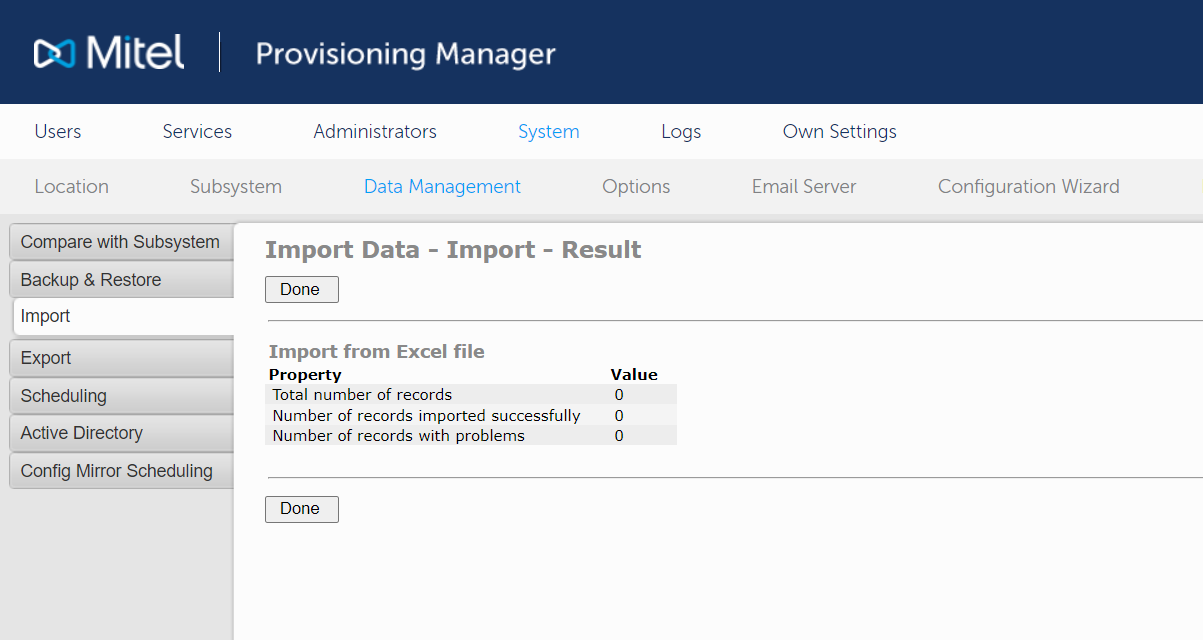
- Click Apply and the users will be imported
successfully into the Provisioning Manager system and CloudLink portal.
↑