In-call features
MiCollab call screen provides access to the following call control features during an active call:
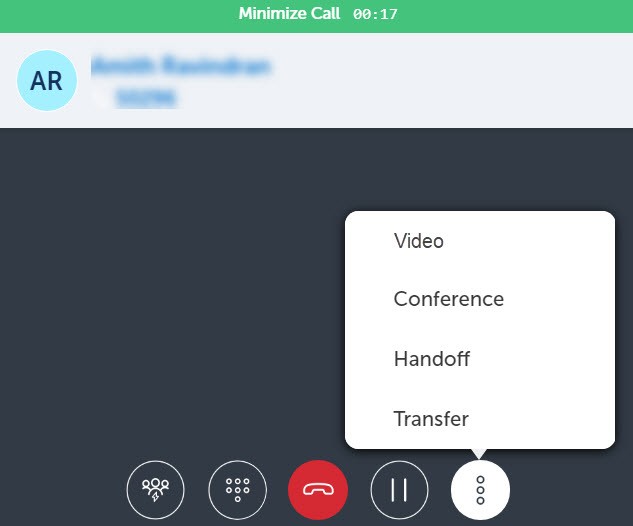
- Ad-hoc Meeting
- Dialpad
- Conference
- Transfer (Supervised)
- Handoff
- Hold/Retrieve
- Hang-up
- Mute/unmute (Softphone only)
- Speaker (Softphone only)
- Video (Softphone only)
Note: You can enable DND (Do Not Disturb) at any time to block calls to your MiCollab Client application. For instructions, see Manage Status.
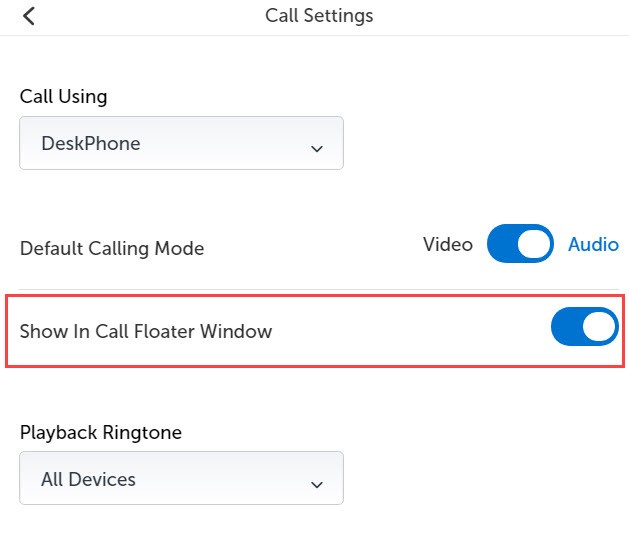
Note: When you minimize an active call or open other options in Client, the In-Call floating window opens. Double-click the floating window to return to the call. To disable the in-call floater window, click Settings > Call Settings and set the Show In Call Floater Window toggle to Off.
↑