Initiating a conference call
To initiate a MiCollab conference call:
- Initiate a MiCollab call.
- Select Conference from the more (
 ) menu.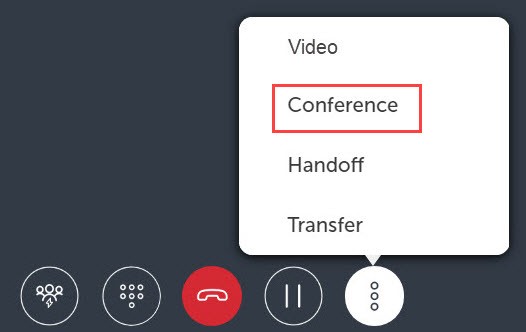
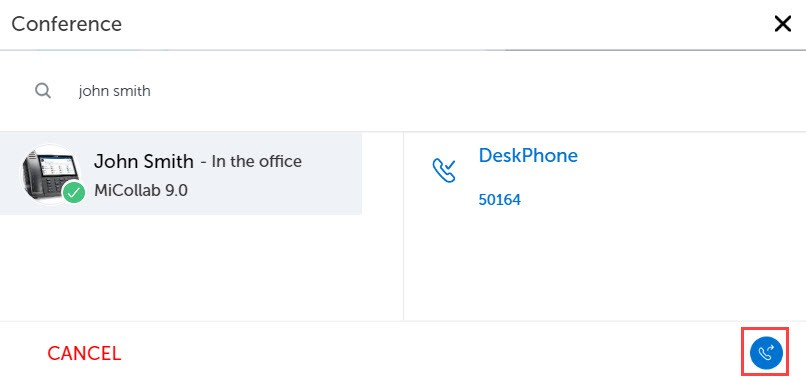
- Choose a contact or enter a name or telephone number in the search box and select Conference (
 ).
). 
The active call is put on hold and a new call is initiated.
- Once the third party answers the call, select the Conference icon to initiate the conference call.
↑