Intelocate Use Case
This topic provides a sample use case to illustrate how to configure a workflow using the Intelocate Integration.
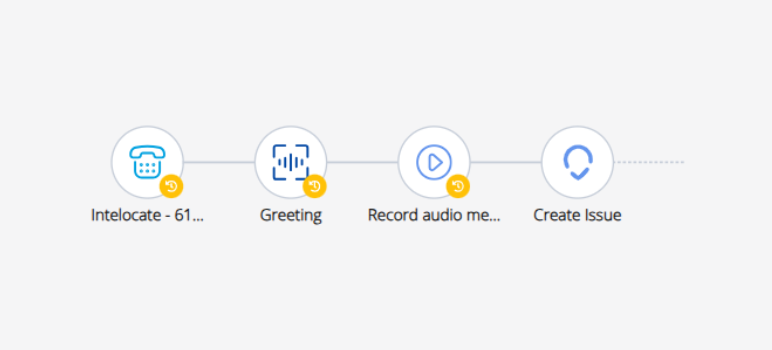
It is recommended to use a voice-based workflow with the Intelocate Integration. The following example illustrates how to configure a workflow to create a new issue in the Intelocate system.
Figure 1. Sample Intelocate Workflow
To create the sample workflow for the described use case, perform the following steps:
- Use an Endpoint Ringing trigger to the flow.
- Use a Greeting activity to play a message to the caller.
- Use a Record audio message activity to allow the caller to record a message. Ensure that transcription is enabled to capture the caller transcript.
- Use the Intelocate Create Issue activity to create the issue in the Intelocate system.
↑