Delete a connection
This topic provides step-by-step instructions on how to delete a connection.
- On the Workflow Studio home page, under Library, click Integrations.
The Integrations Hub page is displayed.
- On the Integrations Hub page, under the Connected integrations section, click
 icon next to the integrated product.The Integration Setup page is displayed.Figure 1. Integration Setup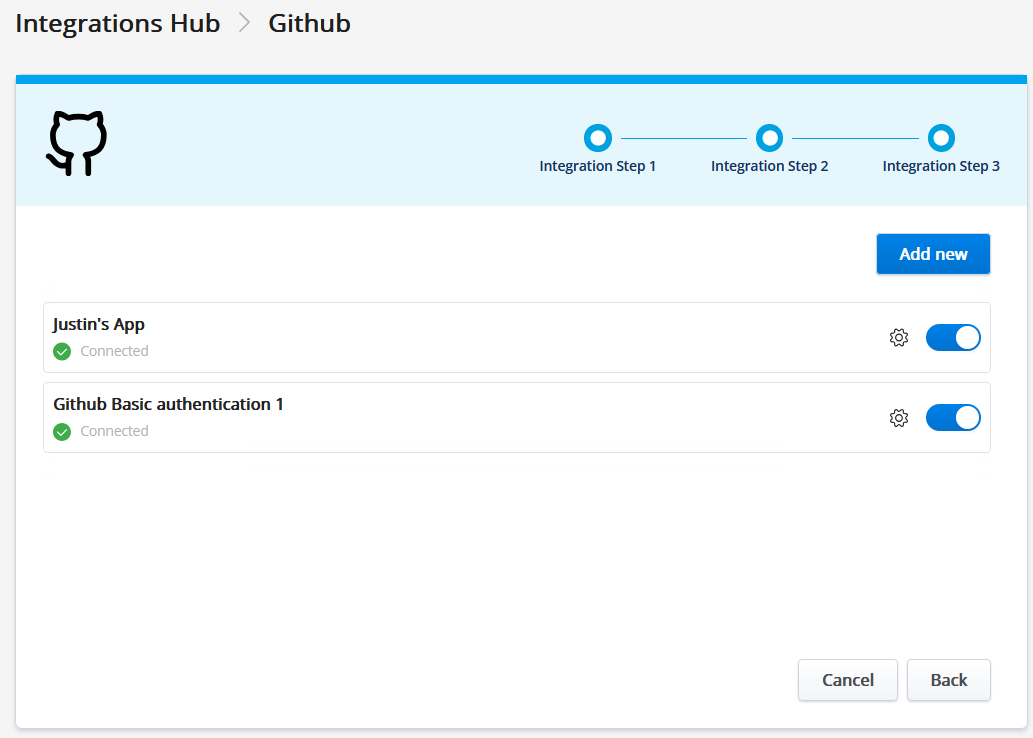
- Select the toggle to disable the connection you want to delete.
The system validates whether the connection is being used by an active workflow.
The Integration in use popup screen is displayed.Figure 2. Integration in use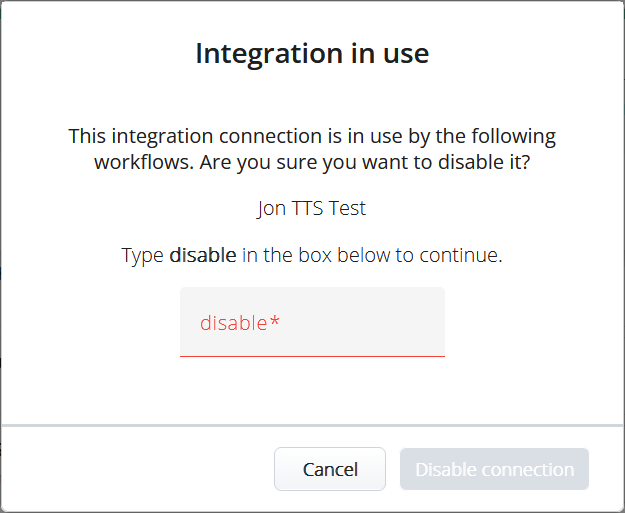 Note: If the connection is not used in any active workflow, the Integration in use popup screen will not be displayed for the confirmation.
 - Enter the text "disable" in the text box.
Click Disable connection to confirm disabling the connection.
The Integration Setup - Delete page is displayed.Figure 3. Integration Setup - Delete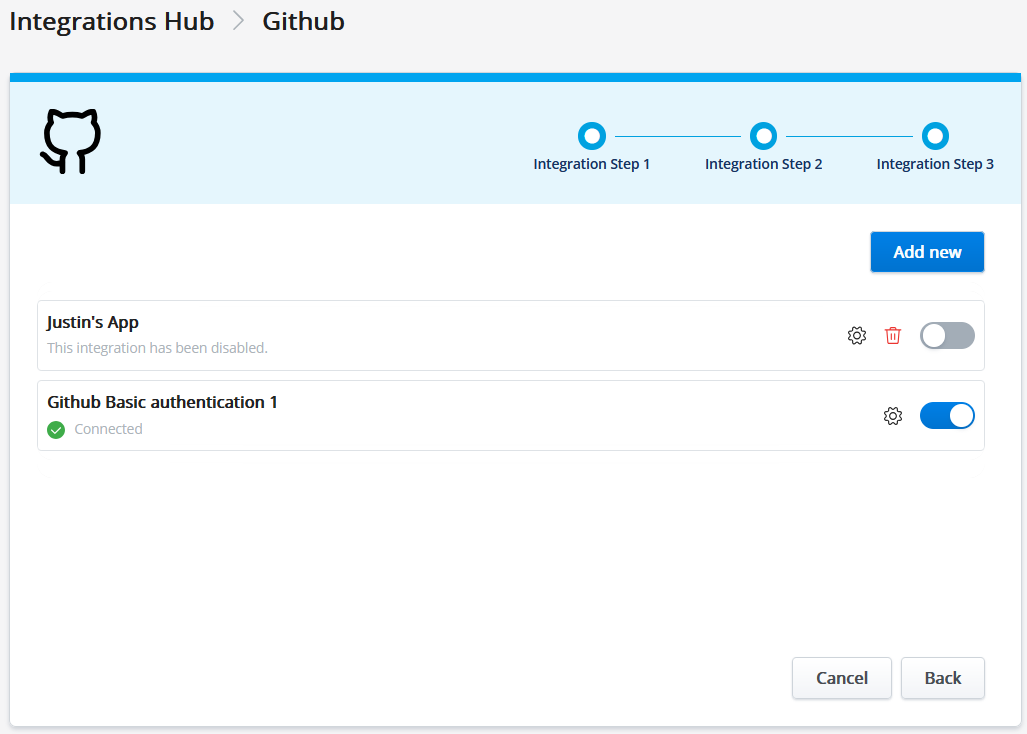
- Click
 icon next to the toggle.The Delete connection popup screen is displayed.Figure 4. Delete Connection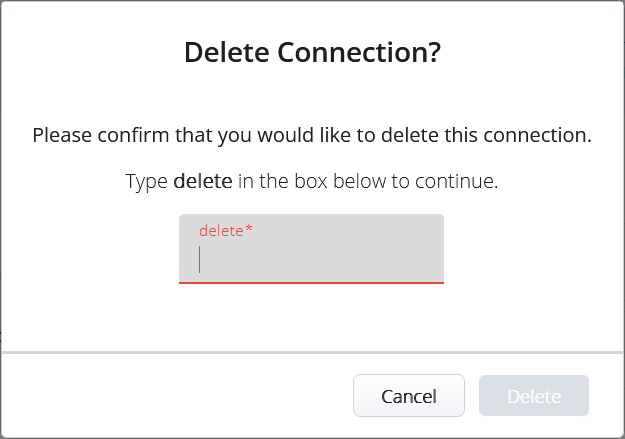
- Enter the text “delete” in the textbox to confirm the deletion.
- Click Delete.
↑