Integrating Workflow Studio
This topic provides step-by-step instructions on how to integrate the Workflow Studio application into the Mitel Administration account.
Perform the following steps to integrate Workflow Studio, if it is not integrated into the Mitel Administration account:
- Log in to Mitel Administration using the URL (https://accounts.mitel.io).
- Enter a valid username and password.
The Mitel Administration Dashboard is displayed upon successful login.
- Click the Integrations & Apps option from the navigation menu.
- Enable the toggle button associated with the Workflow Studio integration in the Integrations panel.
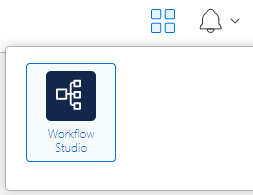
The Workflow Studio icon is now available under the Application Launcher icon at the top of the page.
Figure 1. Application Launcher
↑