Integrations
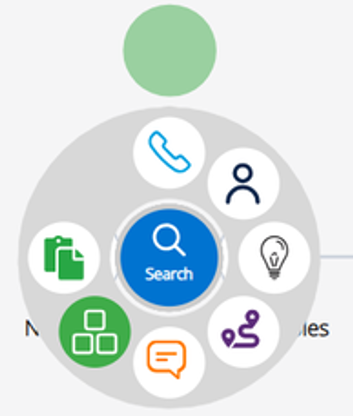
Integrations in the activity wheel are not displaying
This occurs because no integrations have been configured under the Integrations Hub tab.
Figure 1. Activity Wheel Issue
Solution
Refer to the Integrations section to set up new connections.
How do you view only Voice flows within Workflow Studio?
Solution
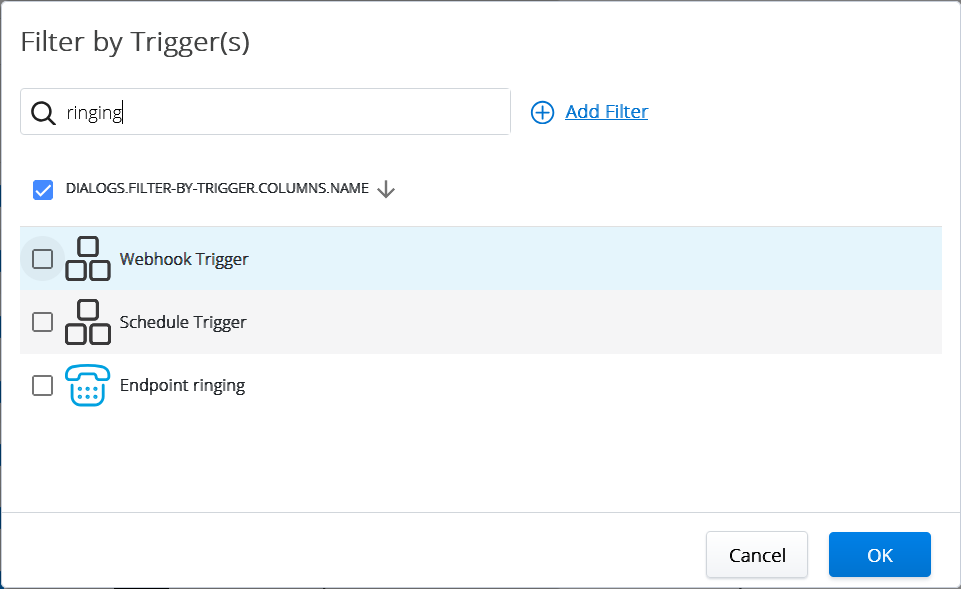
To view only flows that are triggered by a phone call,
In the Flows screen, click Add filter.
Select the By Trigger option from the list.
In the Filter by Trigger(s) popup screen, search and select the trigger name as "Endpoint Ringing".
Click OK.
Figure 2. Filter by Trigger(s)
Integration action is not working/always failing
Solution
This can be caused by one of the following reasons:
- The connection to the integration is no longer valid. Please check the Integration view.Figure 3. Invalid Connections
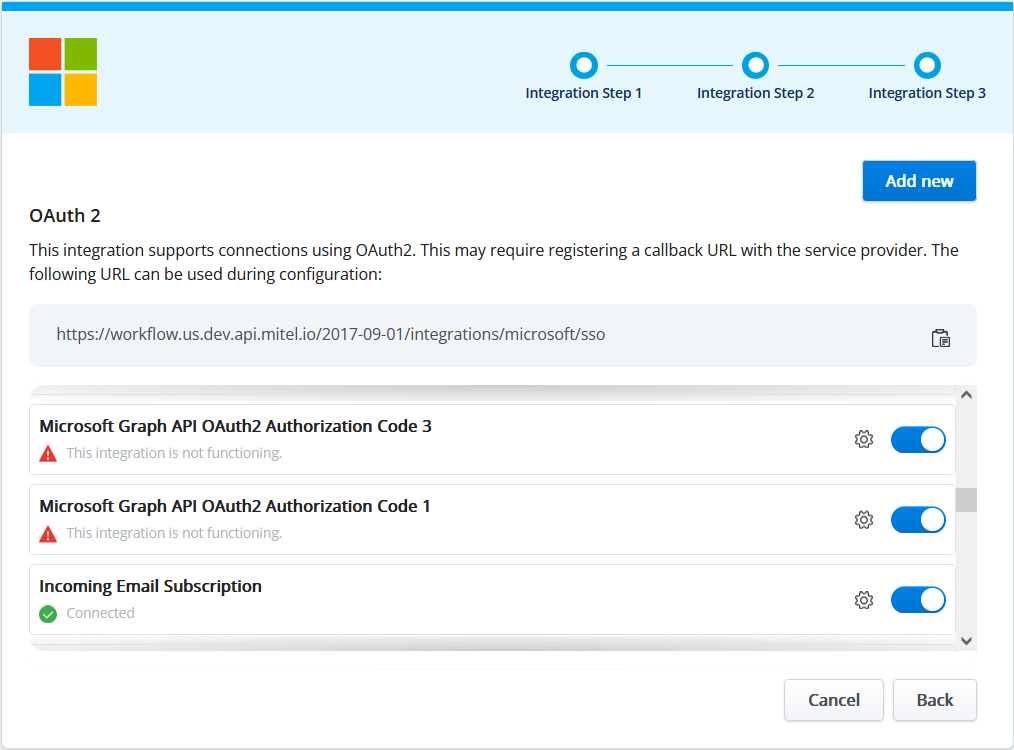
Verify that the connection exists.
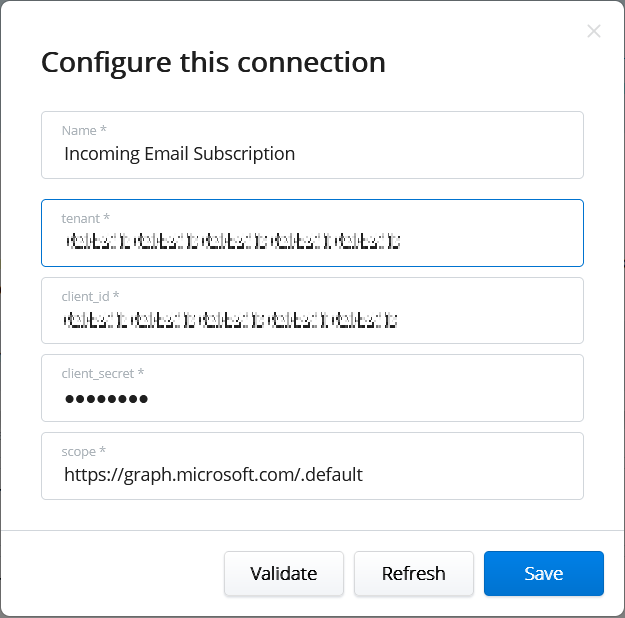
- Verify that the permissions are correct using the Validate button on the connection.Figure 4. Validate Connection
↑