Assign Routes to Destinations
- Log in to Service Node Manager.
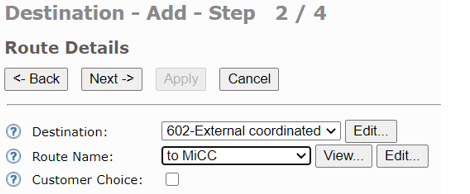
- Go toTelephony > External Lines > Destination and click Add.
- Click `Next.
- Select the MiCC destination and the MiCC route name.
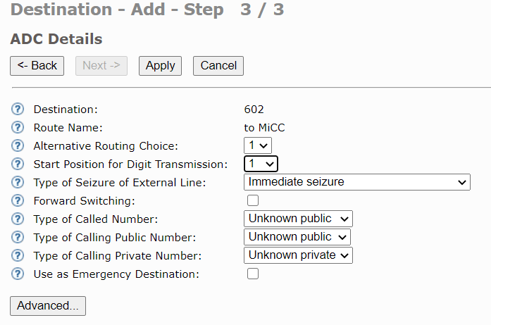
- Select a value for Start Position for Digit Transmission and click Apply.
↑