Flows
Flows automate business processes through a structured sequence of triggers, actions, and conditions. They consist of interconnected steps where triggers are set, actions are performed, data is manipulated, and decisions are made based on defined conditions. You can create workflows by adding triggers and actions onto a Workflow Canvas and configuring them to achieve desired outcomes. Workflows have logical branches and conditional paths to accommodate diverse scenarios. Organizations use workflows to streamline operations, enhance productivity, and maintain consistency in task execution.
The Flows page displays a list of workflows accessible to the user and information about who created them, when they were last updated, and who modified them.
- On the Workflow Studio home page, click Flows.The Flows page is displayed.Figure 1. Flows
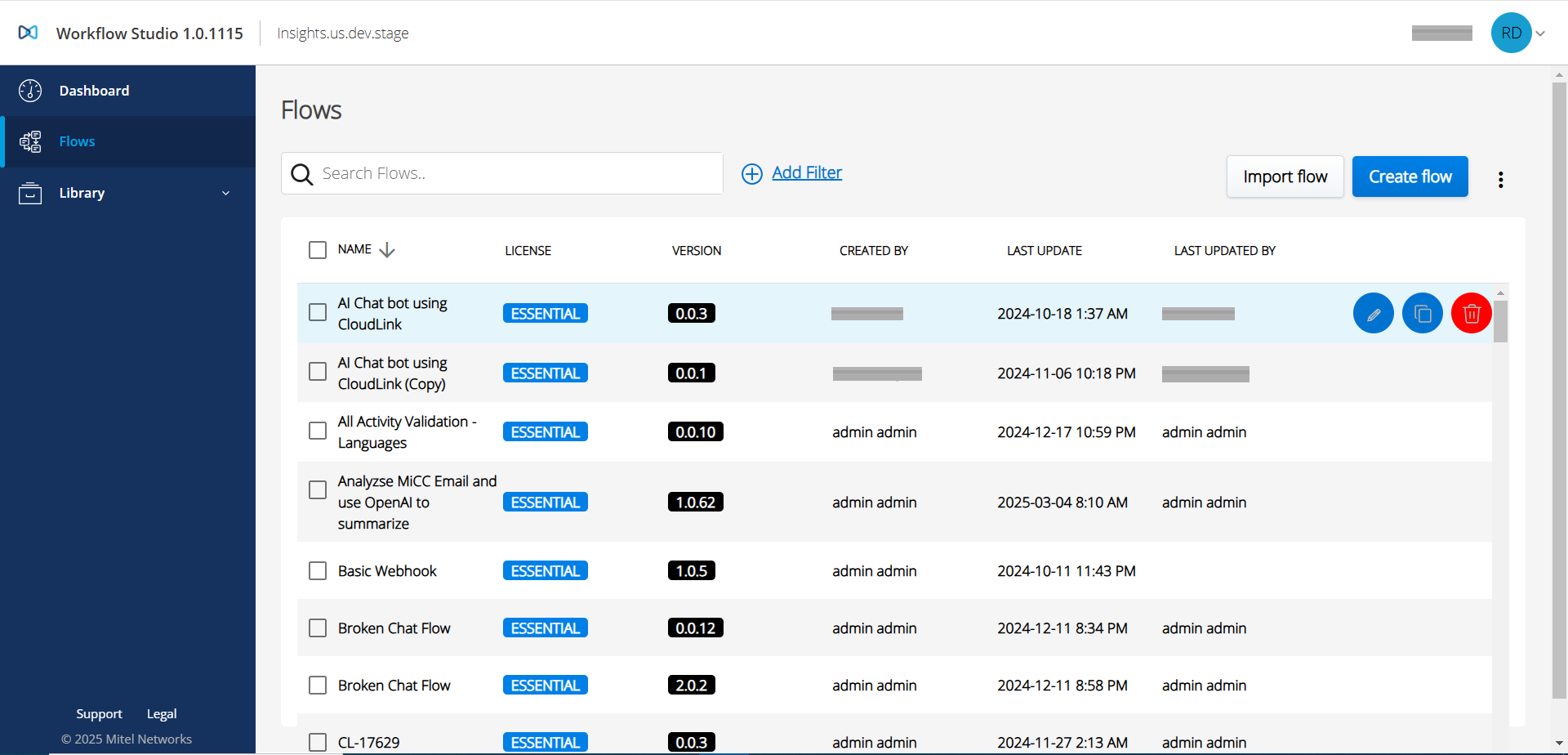
- Click Add filter to apply a filter to the workflow list.The following filter options are displayed in a drop-down list.
By Author:
Hover over the By Author filter and select the name to filter the workflow based on the selected author.
By License:
Hover over the By License filter and select the license type to filter the workflow based on the selected type. The options are:PREMIER
ESSENTIAL
ALL
By Tag:
Hover over the By Tag filter and select the tag to filter the workflow based on the selected tag.
- By Trigger:
Select the By Trigger filter.
The Filter by Trigger(s) popup screen is displayed.Figure 2. Filter by Trigger(s)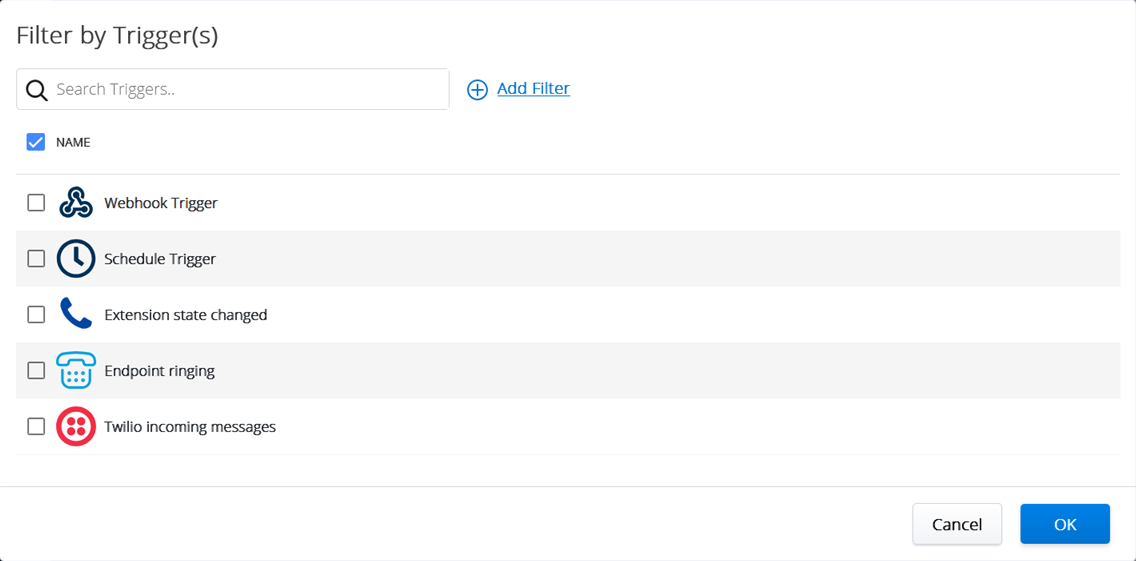
Search and select one or more triggers from the list.
Click OK.
The Flows page is displayed with the workflows that contain the selected trigger(s). It is used to locate the workflows using the selected triggers.
- By Number:
Select the By Number filter to display a list of all numbers defined in an Endpoint Ringing trigger for an existing workflow.
The Filter by Number(s) popup screen is displayed.Figure 3. Filter by Number(s)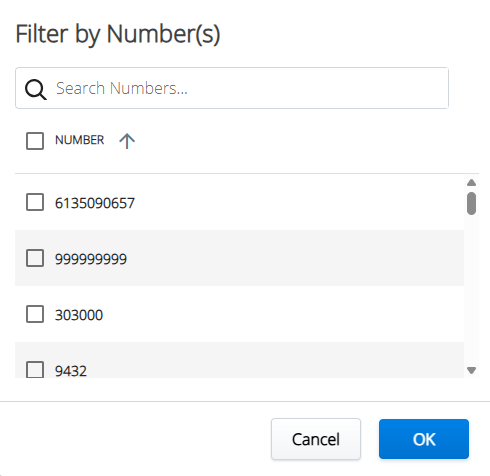
Search and select one or more numbers from the list.
Click OK.
The Flows page is displayed with the workflows that contain the selected number(s). It is used to locate the workflows using a configured number.Note:The Numbers filter cannot be used with other filters such as Author, License, Tag or Trigger.
- Create a flow
- Edit a flow
- Import a flow
- Clone a flow
- Delete a single or multiple flow(s)